Give each photograph a job
A photograph on a service page needs to help someone understand the service. An image in a capability presentation might show the scale of a project or the people delivering it. A product photograph needs to show the item clearly enough for its intended use.
Those purposes lead to different choices about subjects, setting and framing. Before building a shot list, write down what the viewer needs to see. Then name the real people, places, work or products that can show it.
For a food business, that might mean the dishes people can order and the setting they will visit. For a construction business, it may mean a project in progress, the finished space and the details of the work. The categories overlap, but the brief should come from the business itself.
Show how the work sits in its setting
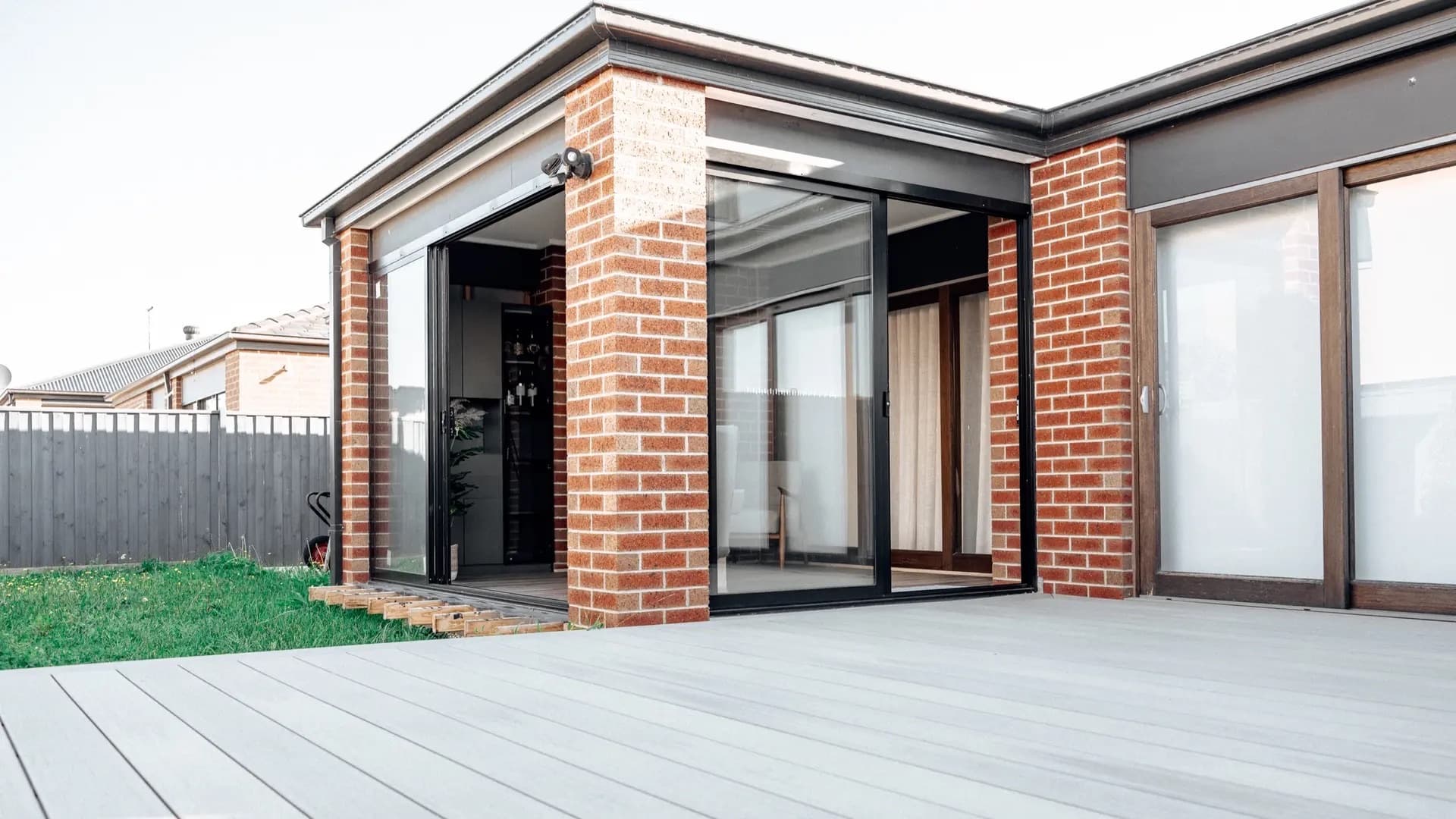
The HR Homestyle Projects case study includes photography from the renovation and landscaping business’s projects. HR Homestyle is based in Clyde North; the frame below shows its Cranbourne lifestyle room.
The wider view connects the room to the deck and garden. The open glazed doors show the relationship between the inside and outside spaces. A tight photograph of a door or wall would leave the viewer to imagine that relationship.
When briefing a project shoot, ask for a view that establishes the setting before listing the individual details. It gives those closer photographs somewhere to belong.
Choose the frame for the information it carries
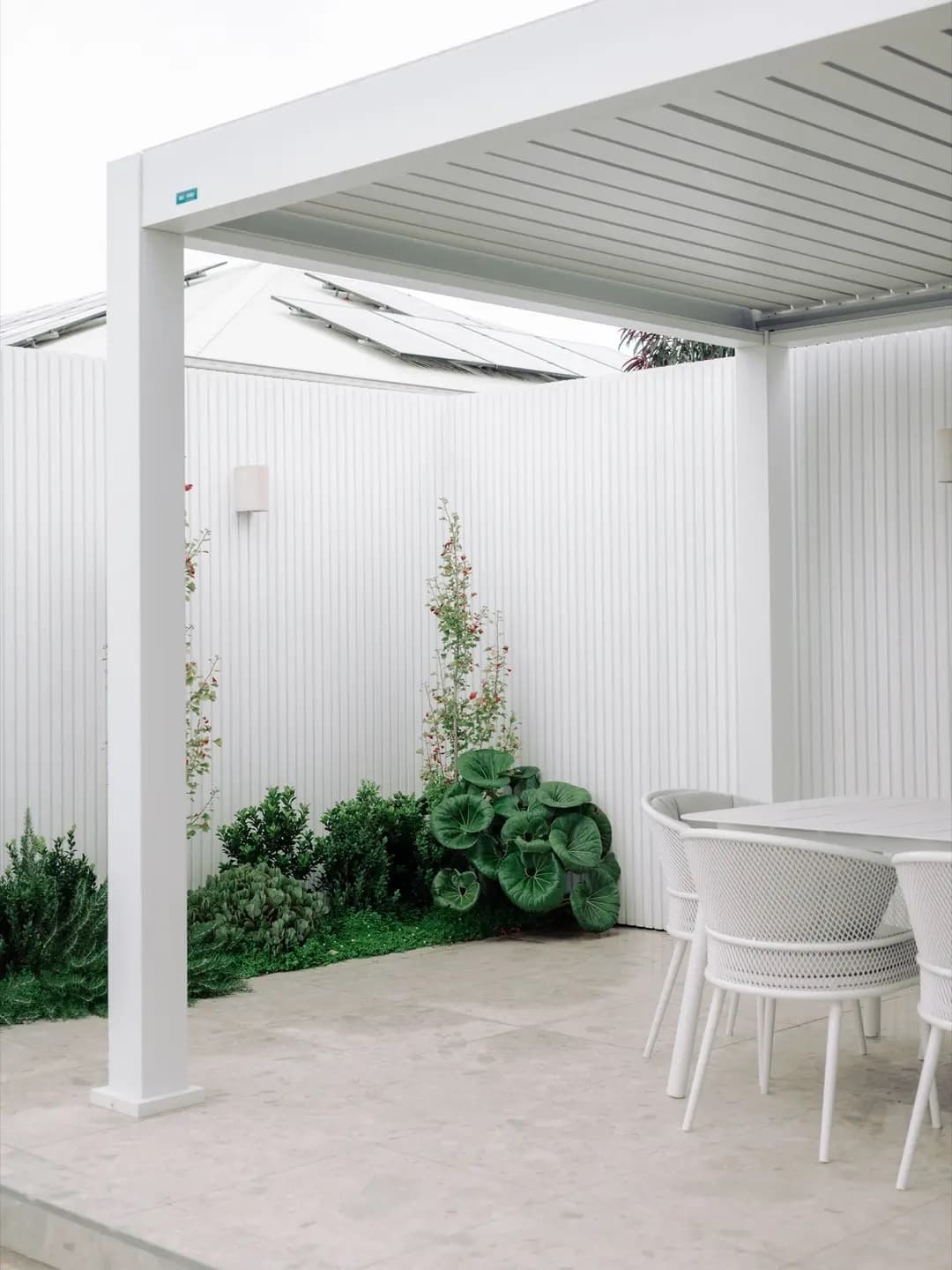
This second HR Homestyle photograph is a vertical view of a covered outdoor living area in Clyde North. The roof, post, table and planting all help describe the space. The frame holds the height of the cover as well as the furniture beneath it.
A vertical image is not automatically a crop of a horizontal one. Changing the frame can remove the detail that makes a photograph useful. Tell the photographer whether a page, presentation or social placement needs a particular shape, and where any words will sit.
If the same subject needs more than one treatment, include that in the brief. A clean view of the whole space and a closer view of a material answer different questions. Neither has to do every job.
Build the shot list around people, place, work and details
These four prompts give a business shoot some structure. Use the ones that matter to the project; there is no need to photograph a subject simply to fill a category.
- People: who delivers the service, and what can we show them doing?
- Place: what does a customer need to understand about the premises, site or setting?
- Work: what process, service or completed project should the viewer be able to recognise?
- Details: which product features, materials or finishing touches need a closer view?
For a product range, note which items and variations need their own photographs. For food, confirm which dishes will be prepared and when they will be ready. For a business on location, check that the people and work on the list will actually be available.
Our commercial photography service covers people, places, products and work for Melbourne businesses. Bring the intended uses to the brief so the shoot can be planned around the images you need.
Plan for the page as well as the photograph
An image can be useful on its own and awkward in the place it needs to appear. A subject at the edge might be lost in a narrow crop. A busy background might leave no clear space for a heading.
Share the relevant page or layout if it already exists. If it does not, describe the intended uses and any known shape requirements. Discuss where the subject should sit and whether a second composition is needed.
Also agree how the files will be delivered and what uses are covered. Ask those questions in the project scope rather than treating a general guide as the terms of a particular photography booking.
Copy this photography commissioning checklist
Use these notes to make the first conversation specific. Attach existing examples only when they help explain a subject, use or framing requirement.
- Purpose: what does the business need the photographs to explain?
- Uses: which website pages, presentations, print pieces or other placements need images?
- Subjects: which people, places, products, work and details must be included?
- Availability: where and when can each subject be photographed, and who confirms access?
- Framing: which horizontal, vertical or copy-space requirements are already known?
- Delivery and review: what files and permitted uses need agreement, and who checks the selection?
If the subjects change regularly, keep a record of what the next session needs to cover. A new project, seasonal menu or changing product range may suit recurring shoots and editing rather than trying to capture future work before it exists.
Before you book
Is commercial photography only for products?
No. A business may need photographs of its people, premises, services, projects or products. The intended use guides the subject and the way it is photographed.
Can the same photographs be used on a website and social channels?
Discuss both uses before the shoot. The framing and delivered versions may need to differ, and the permitted uses belong in the agreed scope. Do not assume that one crop will work everywhere.
CONTENTS